Shop The Collection
Project Overview
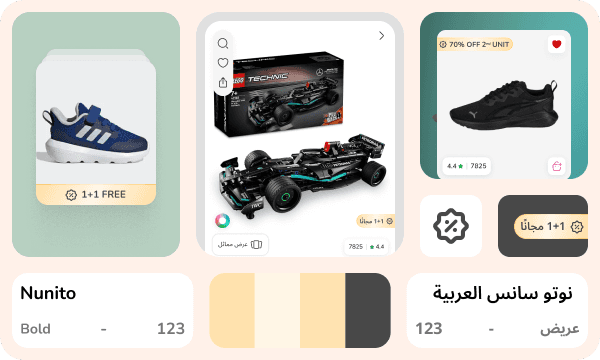
To enhance the seasonal “Back to School” campaign, we designed a “Shop the Collection” experience that curated school essentials into a focused, theme driven interface. This initiative allowed users primarily parents to quickly find grouped items like school bags, shoes, tiffin boxes, and uniforms without manually filtering through large catalogs. The experience was designed for both desktop and mobile platforms, theme consistency, and fast shopping workflows. Users could browse collections like “Primary School,” “Preschool,” and “Stationery Picks,” and directly add grouped items to cart with minimal navigation. A “View Collection” CTA also appears on products/Combos wherever users browse: grid results, list results, PDPs, the cart, after 2.5 scrolls on long lists, and inside combo product tiles, ensuring they never miss a relevant bundle Offers.
The Challenges & Solutions
The challenge was to create a shopping experience that felt seamless across web and mobile reducing friction in multi product purchases. 1: Bundled shopping experience: Introduced “Shop the Collection” A dedicated section for curated collections that bundled relevant SKUs. Users could browse and add all or select items from a single overlay, streamlining the purchase journey or can create there own collection if there was a collection offer available in the individual / Combo product. Entry via the ubiquitous View Collection CTA visible in grids, lists, PDPs, cart, combo tiles, and after 2.5 scrolls streamlines the journey. 2: Reducing user friction: Quick Add on Cart + Overlay UI Introduced a lightweight modal that shows product variants (e.g., size, color). Enabled multi SKU selection from within the PDP or collection card without page reload. 3: Seamless variant selection: Size & Color Preview Modal Clean, interactive modal allowed size and color selection, offer viewing, and direct addition to cart reducing drop offs due to missed variant issues. 4: Maintaining sale urgency: Visual Hierarchy + View Collection CTA. Used consistent pink CTA buttons, simplified offer messaging, and View Collection CTA tag guide attention efficiently. 5. Interface Clogging: On the PDP the CTA loads as an animated button (“Shop the Collection”) and gracefully collapses into a subtle icon after a few seconds signaling the option without clogging the interface and avoid user scroll if the product has a Collection offer available.
Key Shop The Collection Features
1: Faster Cart Completion Time: Users could finish selections from a single screen. 2: Increased Product Discovery: Cross category exposure (e.g., shoes shown alongside bags). 3: Mobile Optimized Experience: Fluid scrollable interactions with overlays improved engagement. 4: Reduced Cognitive Load: Curated collections simplified product choice and improved user satisfaction. 5: Sale Readiness: Theme consistent design enhanced emotional buying during the “Back to School” window.
Wrap Up Project
The Shop the Collection project transformed Back to School shopping from a multipage hunt into a concise, emotionally resonant journey. It bridged product gaps across categories and presented them in a curated, conversion optimized flow. Strategic entry points, a collapsible animated CTA on PDP, and friction free overlays stitched together a merchandise first flow which delivered a smoother, more satisfying user journey making users lives easier.